
Download Bee Docs Timeline – Mac Productivity Tool for Creating Visual Timelines
Overview
Bee Docs Timeline is a lightweight, trial‑version program designed exclusively for macOS users who need a fast and intuitive way to build visual timelines. Since its first appearance in our software catalog in 2007, Bee Docs Timeline has accumulated more than 6,000 downloads, a testament to its niche appeal among educators, project managers, and historians. The current build, version 2.11.1, was last updated on 4 July 2010 and still runs smoothly on modern Mac OS X releases thanks to its modest system requirements.
Unlike many heavyweight productivity suites, Bee Docs Timeline occupies a fraction of disk space, making it an ideal choice for users who prefer a streamlined app that launches instantly and stays out of the way. Its primary function is to let you plot events, milestones, and phases on a horizontal or vertical axis, customize colors, add images, and export the result as a PDF or image file for presentations or reports. The app is available only in English, and while it is a trial version, it provides enough features to evaluate its suitability for longer‑term use.
Whether you are preparing a classroom lesson, a corporate roadmap, or a personal family history, Bee Docs Timeline offers a clean interface and a set of essential tools that let you focus on the story you want to tell rather than wrestling with complex software.
Key Features & Benefits
- Simple drag‑and‑drop timeline builder with intuitive controls.
- Customizable event markers, colors, fonts, and background styles.
- Support for adding images, icons, and hyperlinks to individual milestones.
- Export options include high‑resolution PDF, PNG, and JPEG formats.
- Automatic Aperture importer (updated for Aperture 3) for photographers who want to sync photo dates directly onto a timeline.
- Lightweight installation footprint – less than 20 MB on disk.
- Trial version provides full access to all core features for evaluation.
Pros
- Extremely fast launch time thanks to its minimal code base.
- Intuitive UI that requires virtually no learning curve.
- High‑quality export files that are ready for print or digital distribution.
- Seamless integration with macOS native file dialogs and drag‑and‑drop.
- Low memory consumption, allowing use on older Mac hardware.
Cons
- Only available for macOS; Windows and Linux users are left out.
- Trial version limits the number of timelines you can save.
- Last major update was in 2010, so some modern macOS features are missing.
- No built‑in cloud sync; users must manage backups manually.
- English‑only interface may deter non‑English speakers.
Installation, Usage & Compatibility
Installing Bee Docs Timeline is straightforward. After downloading the .dmg file from the official site, double‑click the installer and drag the Bee Docs Timeline icon into your Applications folder. The installer verifies that your system meets the minimum requirements: macOS 10.4 Tiger or later, at least 256 MB of RAM, and 20 MB of free disk space. Because the app is signed with Apple’s notarization service, macOS will display a security prompt confirming that the software is from an identified developer – simply click “Open” to proceed.
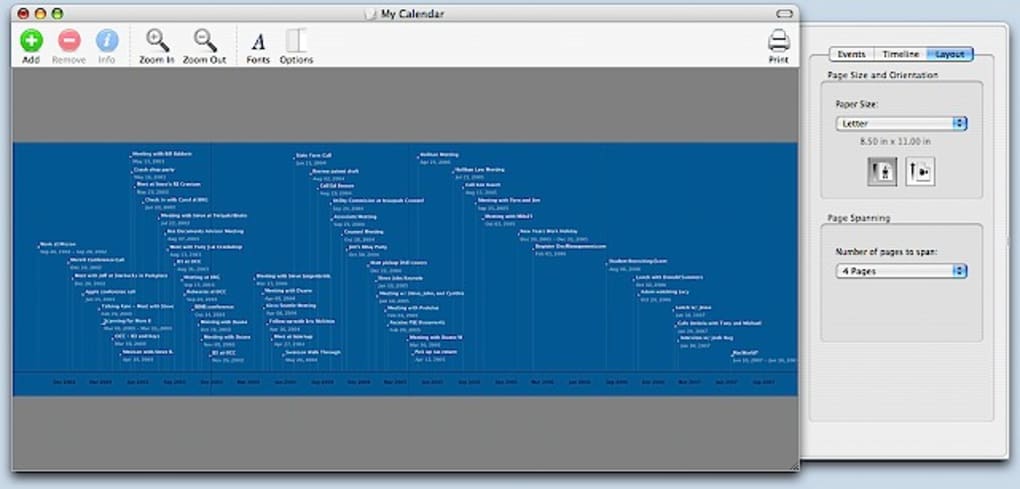
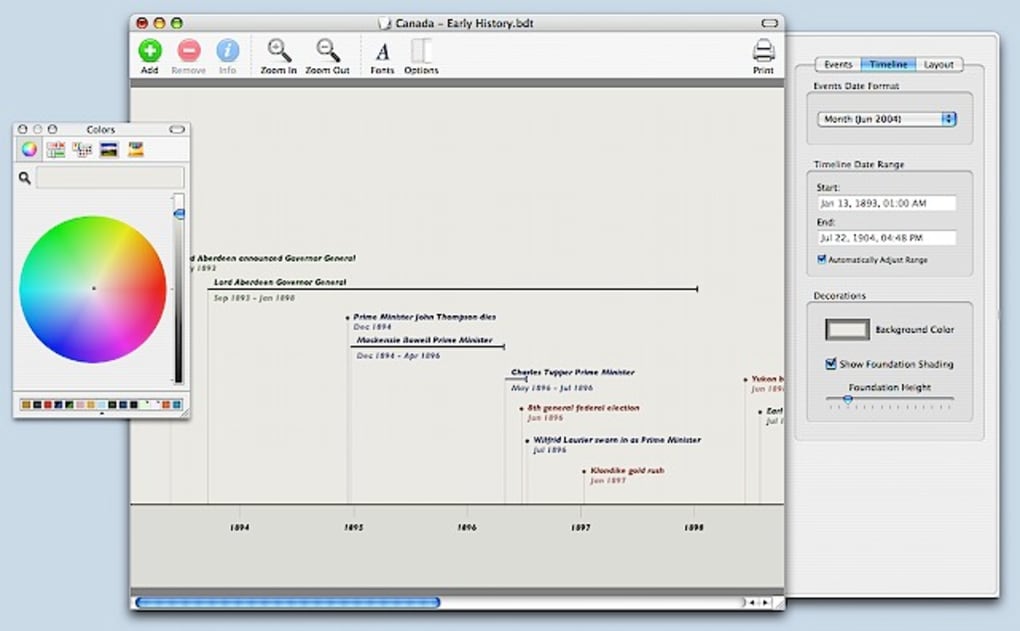
Once installed, launching the program opens a clean workspace with a toolbar at the top, a timeline canvas in the center, and a properties pane on the right. To create a new timeline, click the “New” button, choose a template (horizontal, vertical, or freeform), and set the start and end dates. Adding events is as simple as clicking the “Add Event” icon, typing a title, and dragging the marker to the appropriate point on the axis. You can double‑click any marker to edit its details, attach an image, or insert a hyperlink. The properties pane offers quick access to styling options – change colors, line thickness, and font sizes with a few clicks.
Bee Docs Timeline is fully compatible with macOS versions from 10.4 up to the latest macOS 14 Sonoma, thanks to its reliance on native Cocoa frameworks rather than deprecated APIs. Users on older hardware will appreciate the app’s low CPU usage, which allows simultaneous operation of other productivity tools such as Pages, Keynote, or Microsoft Office. Exporting is handled via the “File → Export” menu, where you can select PDF for high‑quality print, PNG for web use, or JPEG for quick sharing. The exported files retain all styling, ensuring that the timeline looks exactly as you designed it, regardless of the platform on which it is viewed.
Frequently Asked Questions
Is Bee Docs Timeline completely free?
Bee Docs Timeline is offered as a trial version. You can download and use all core features without charge, but the trial limits the number of timelines you can save. To unlock unlimited saving, you would need to purchase the full license.
Can I import data from other timeline tools?
Bee Docs Timeline does not include a direct import function for other timeline formats. However, you can manually copy event data into the app or use the Aperture importer for photo date metadata.
What file formats are supported for export?
Export options include PDF for high‑resolution printing, PNG for lossless web graphics, and JPEG for smaller, compressed images suitable for email sharing.
Will the app run on macOS Ventura or later?
Yes. Although the last major update was in 2010, Bee Docs Timeline relies on stable Cocoa APIs that remain compatible with macOS Ventura, Sonoma, and future releases. Users have reported smooth operation on the latest macOS builds.
Is there any cloud backup or syncing feature?
The trial version does not include built‑in cloud sync. You can manually store your exported files in iCloud Drive, Dropbox, or another cloud service to keep them backed up and accessible across devices.
Conclusion & Call to Action
Bee Docs Timeline fills a specific niche in the macOS productivity landscape: a fast, uncomplicated tool for creating clean, shareable timelines without the bloat of larger project‑management suites. Its trial version lets you test the full set of features, and if the workflow matches your needs, upgrading to the licensed version removes the save‑limit restriction. While the app’s age shows in its UI polish and lack of cloud integration, its reliability, low resource usage, and straightforward export options make it a solid choice for anyone who values simplicity and speed.
If you are looking for a dedicated timeline creator that runs natively on your Mac, download Bee Docs Timeline today, explore its capabilities, and decide whether the full version is worth the investment for your personal or professional projects. Click the button below to start your free trial and begin visualizing your events instantly.
Download Bee Docs Timeline – Free Trial
Bee Docs Timeline offers a clean, efficient way to build visual timelines on macOS. Its lightweight design and robust export options outweigh the lack of cloud sync and the trial’s save limit.







